One portal, the whole compliance picture.
Findings with the evidence highlighted, corrections tracked to closure, complaints on their clocks, reviews, reports, requests, and billing, in one place, for your points of contact. Everything you see has already been confirmed by an EASE advisor. You never have to operate it; it is simply always there.
See it the way your team will
The examination is managed for you; the portal is where you watch it. Screens below come from a fictional demonstration company.
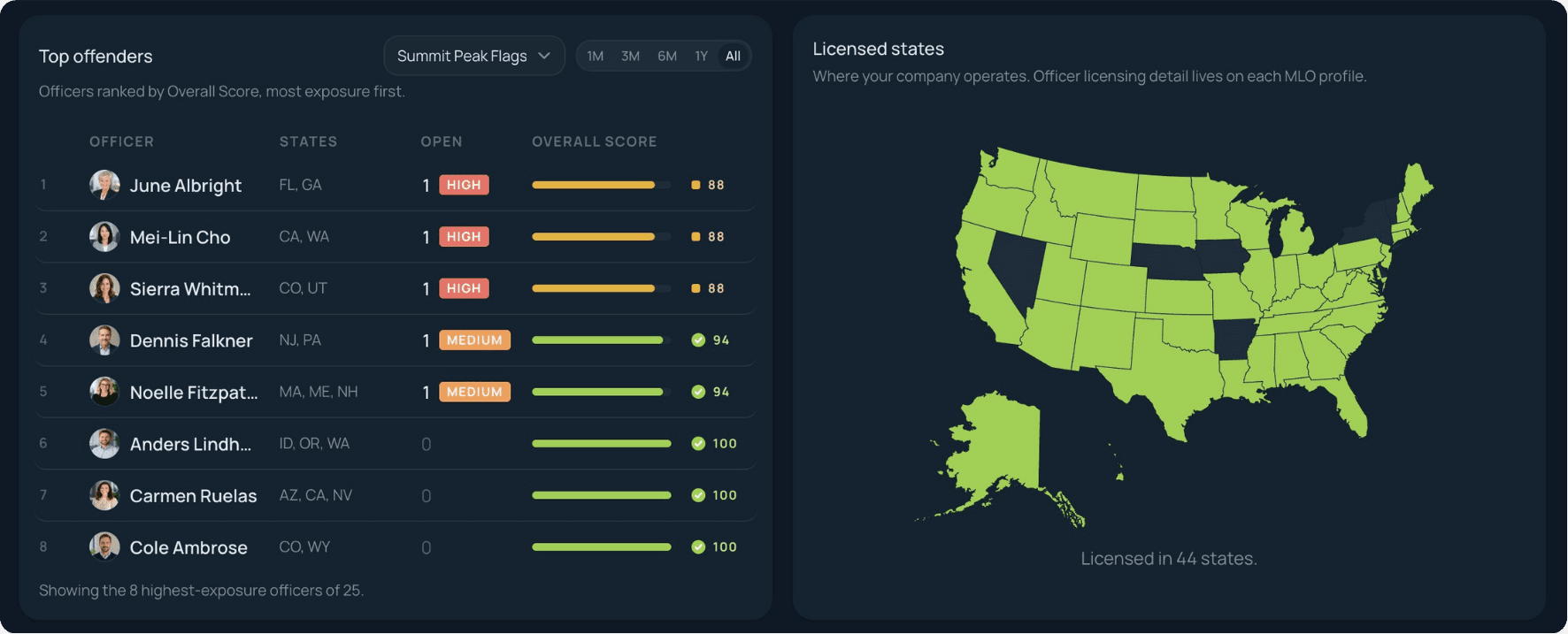
Exposure, ranked, before it becomes a citation
The team board ranks officers by advisor-confirmed score, open findings and severity first, beside the map of where your company operates. Leadership sees where the exposure is concentrated without asking anyone to pull numbers.
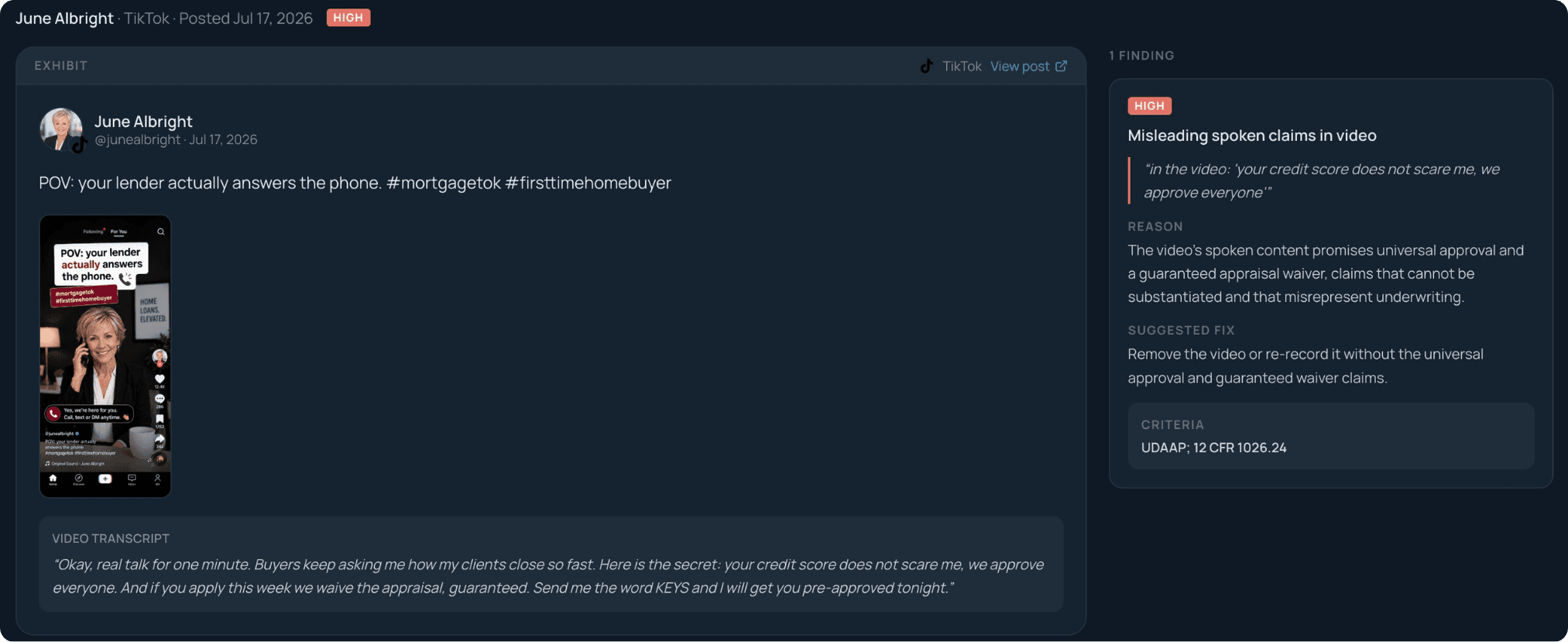
Findings arrive with the proof highlighted
Open any finding and the violating language is highlighted in the captured post or page, next to the rule it breaks and the exact corrective action. Video findings quote the spoken claim from the transcript.
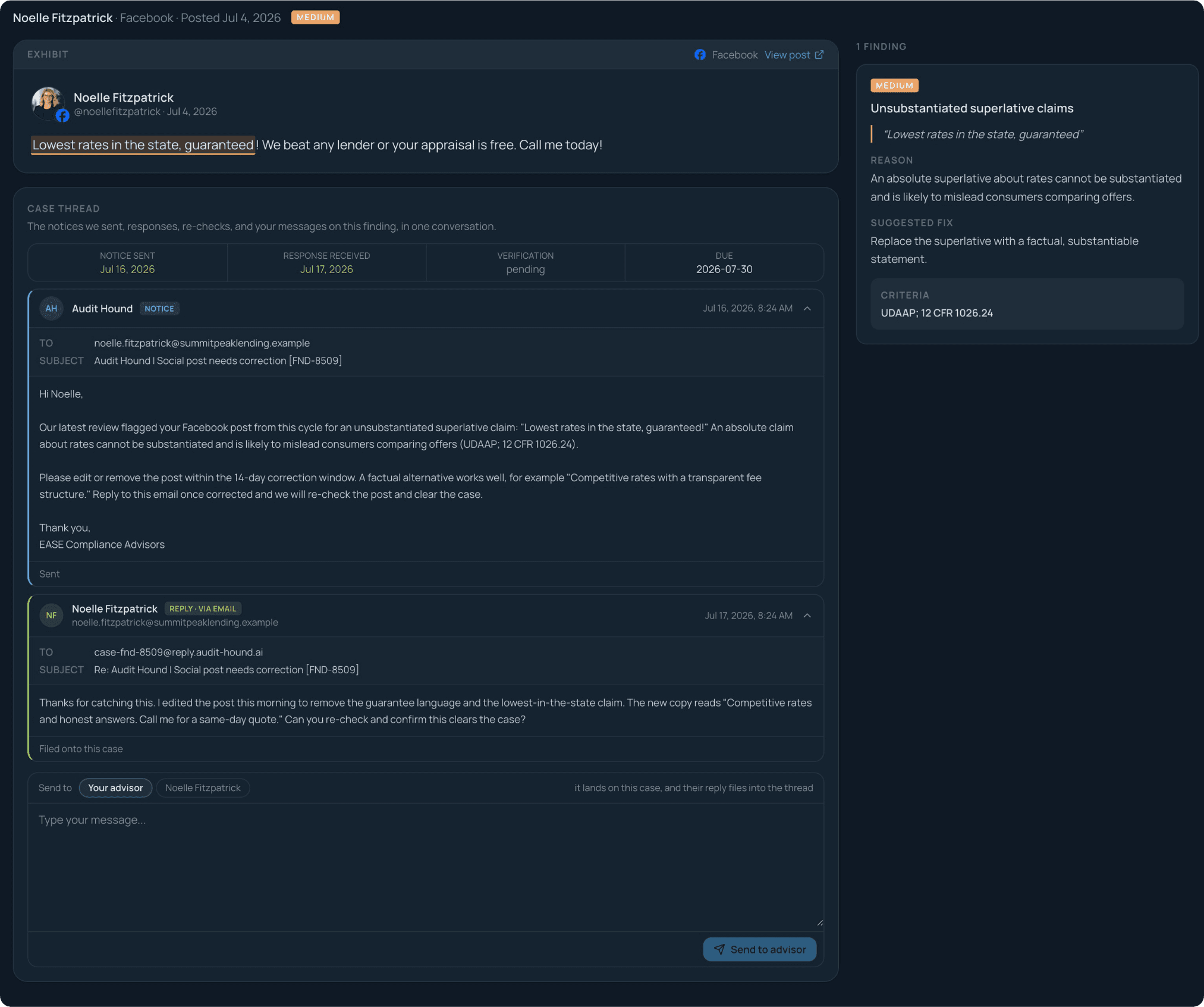
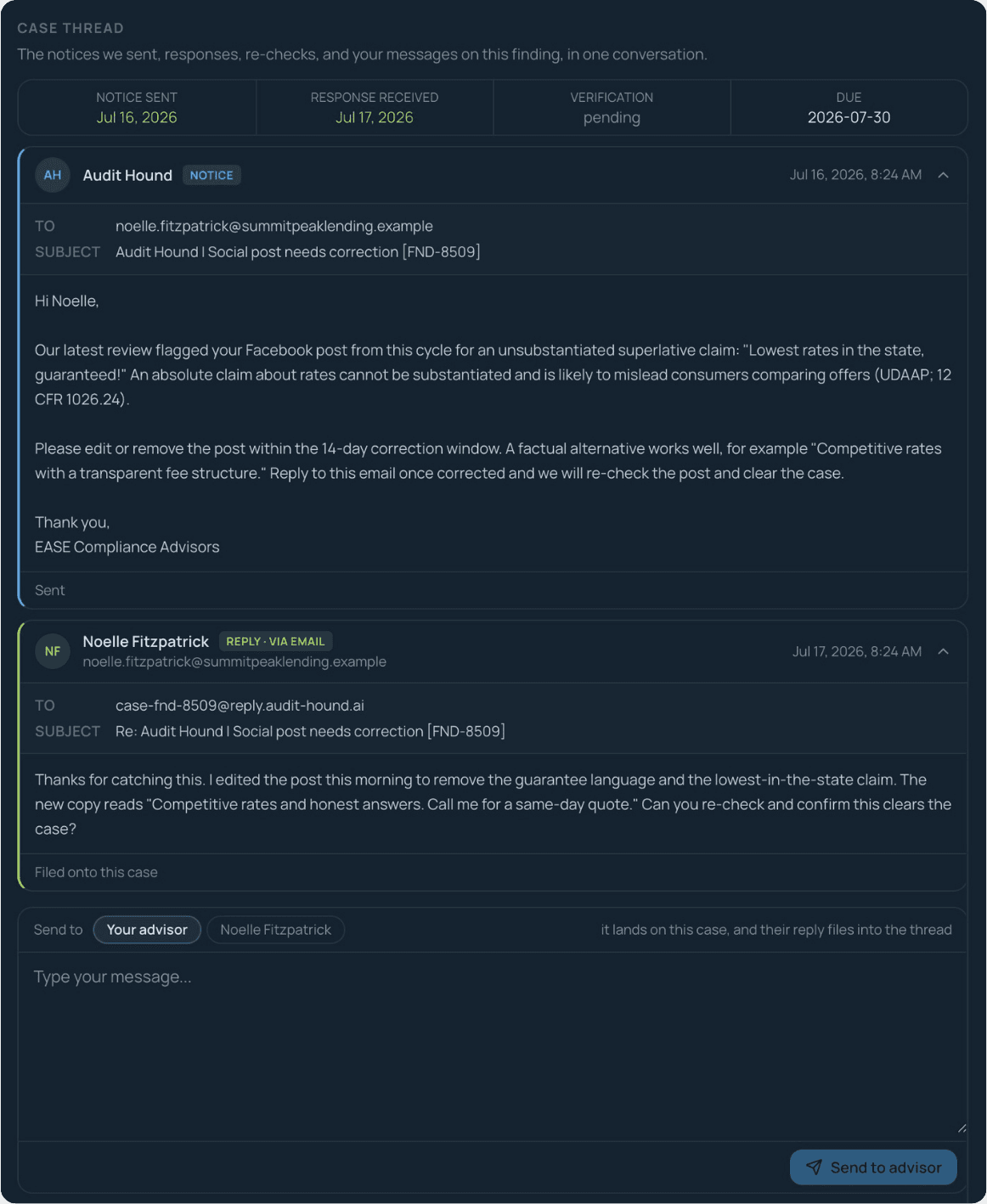
Watch every correction move to closure
Every notice we send, the officer's reply, and the re-check land on the finding as one conversation, with the response clock and the due date on top. Nothing waits in an inbox, and nothing quietly goes stale.
Every name, mapped to where it is registered
Every trade name and team brand is checked against NMLS and each state's Secretary of State, then re-verified on your plan's cadence. The map shows every state's standing at a glance; click one and the issues are named, with what to file to fix them.
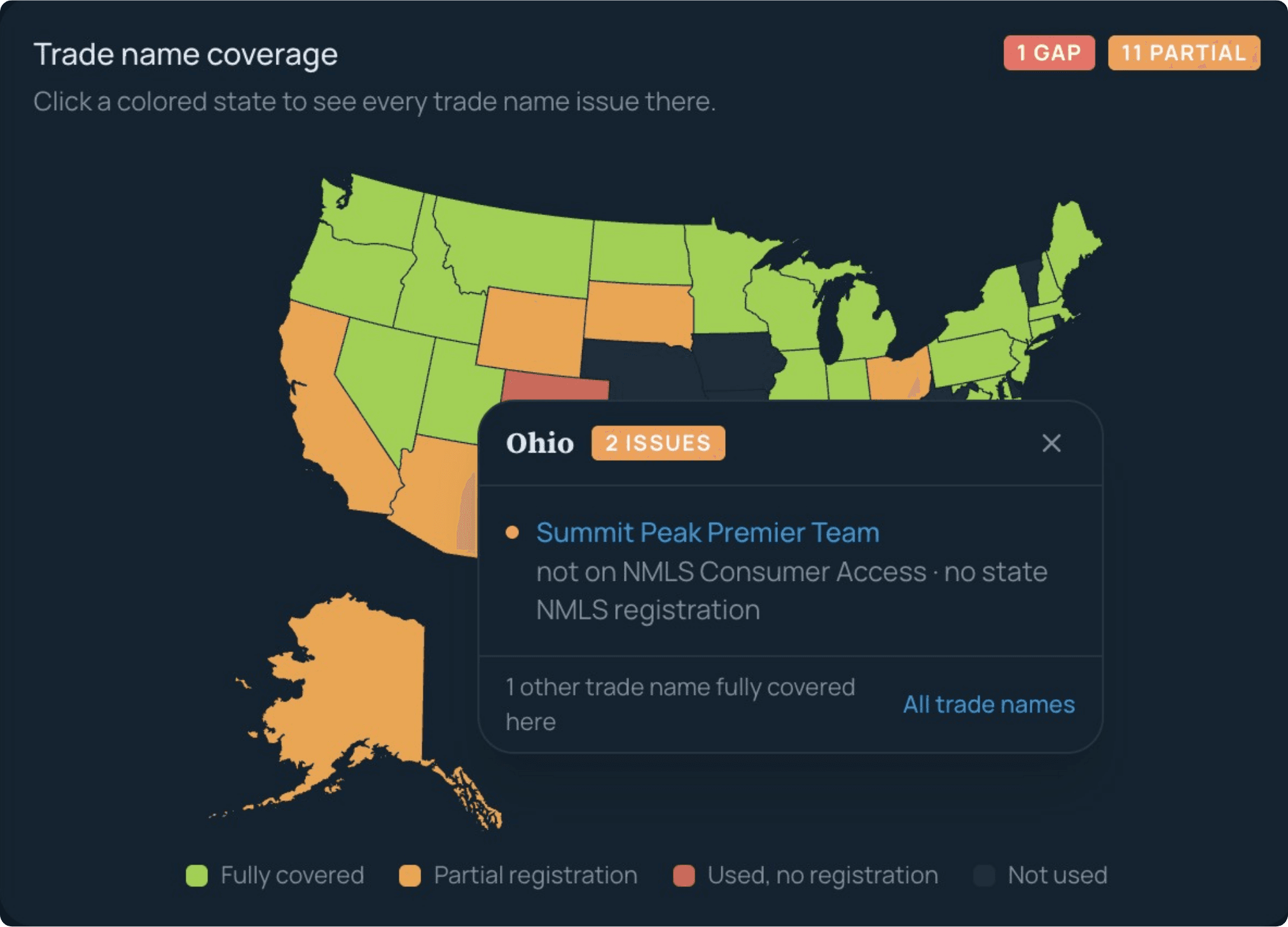
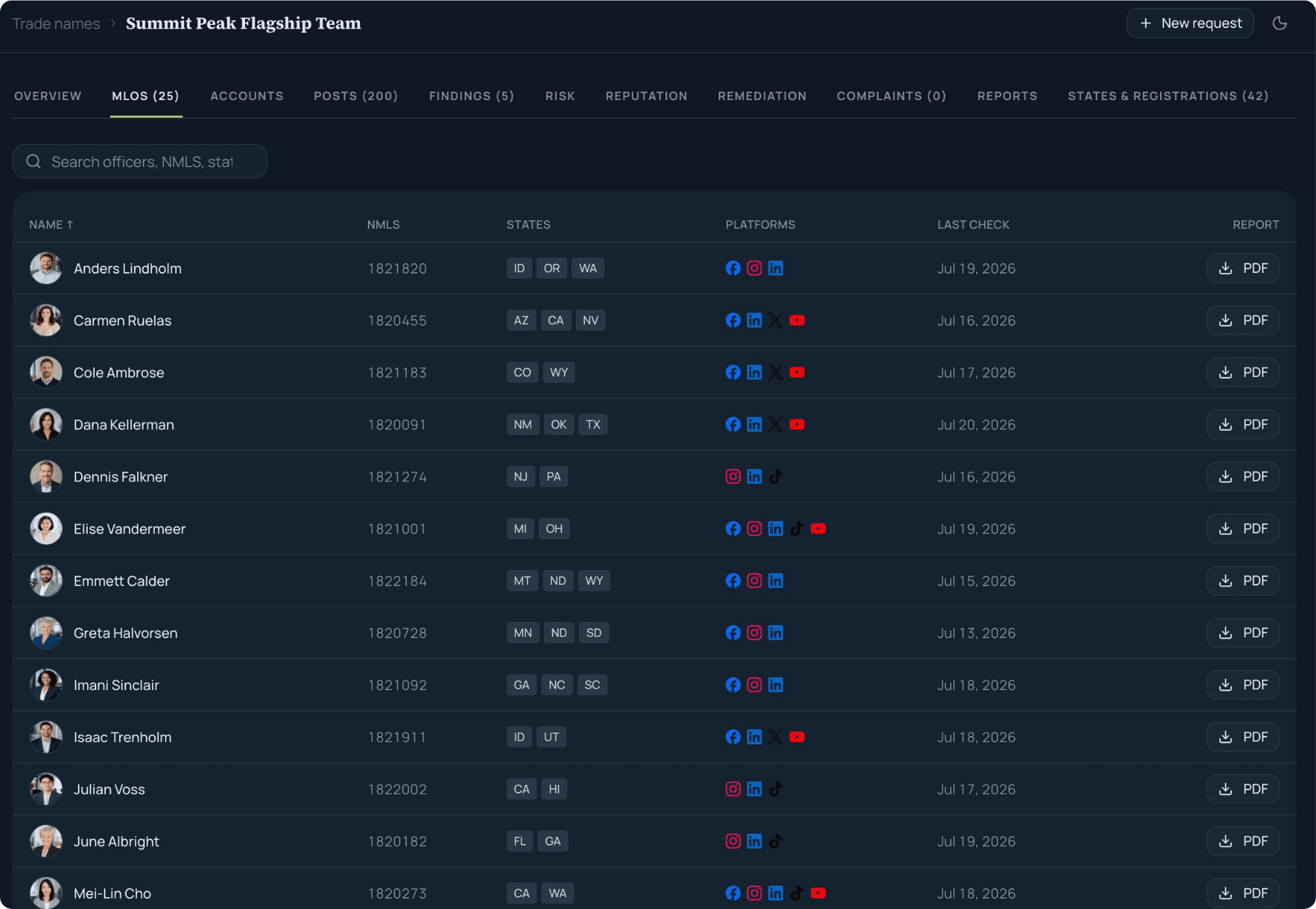
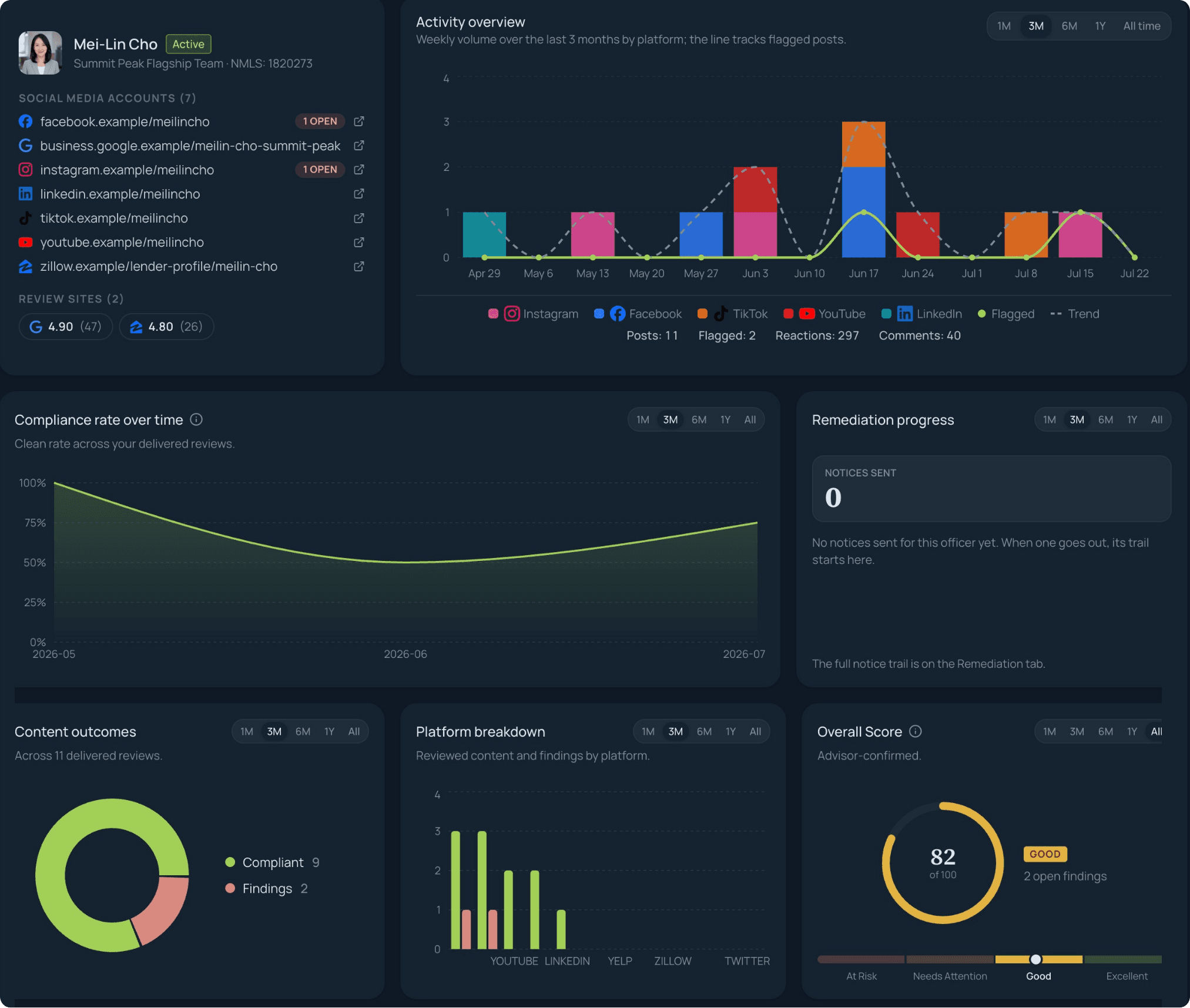
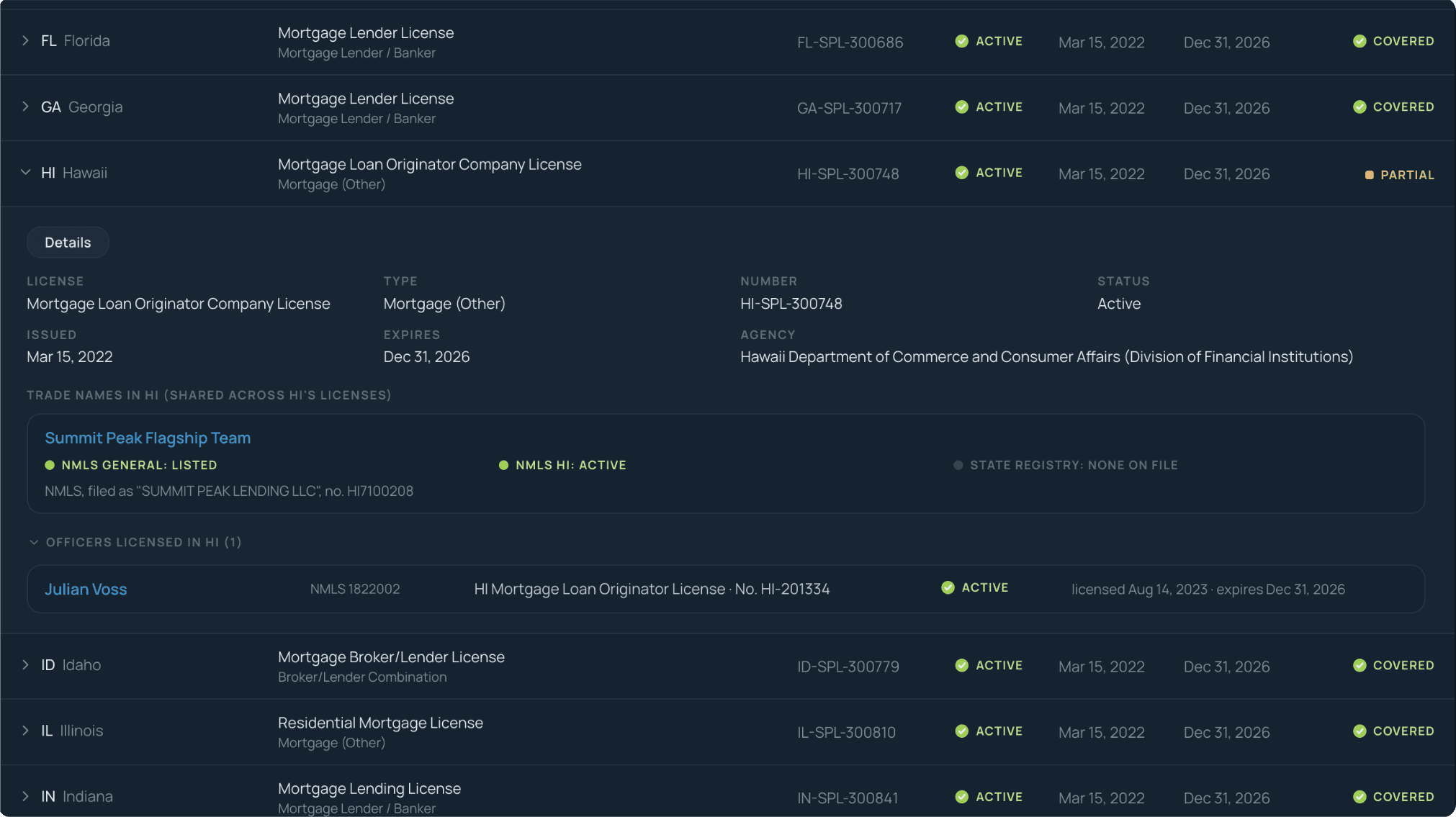
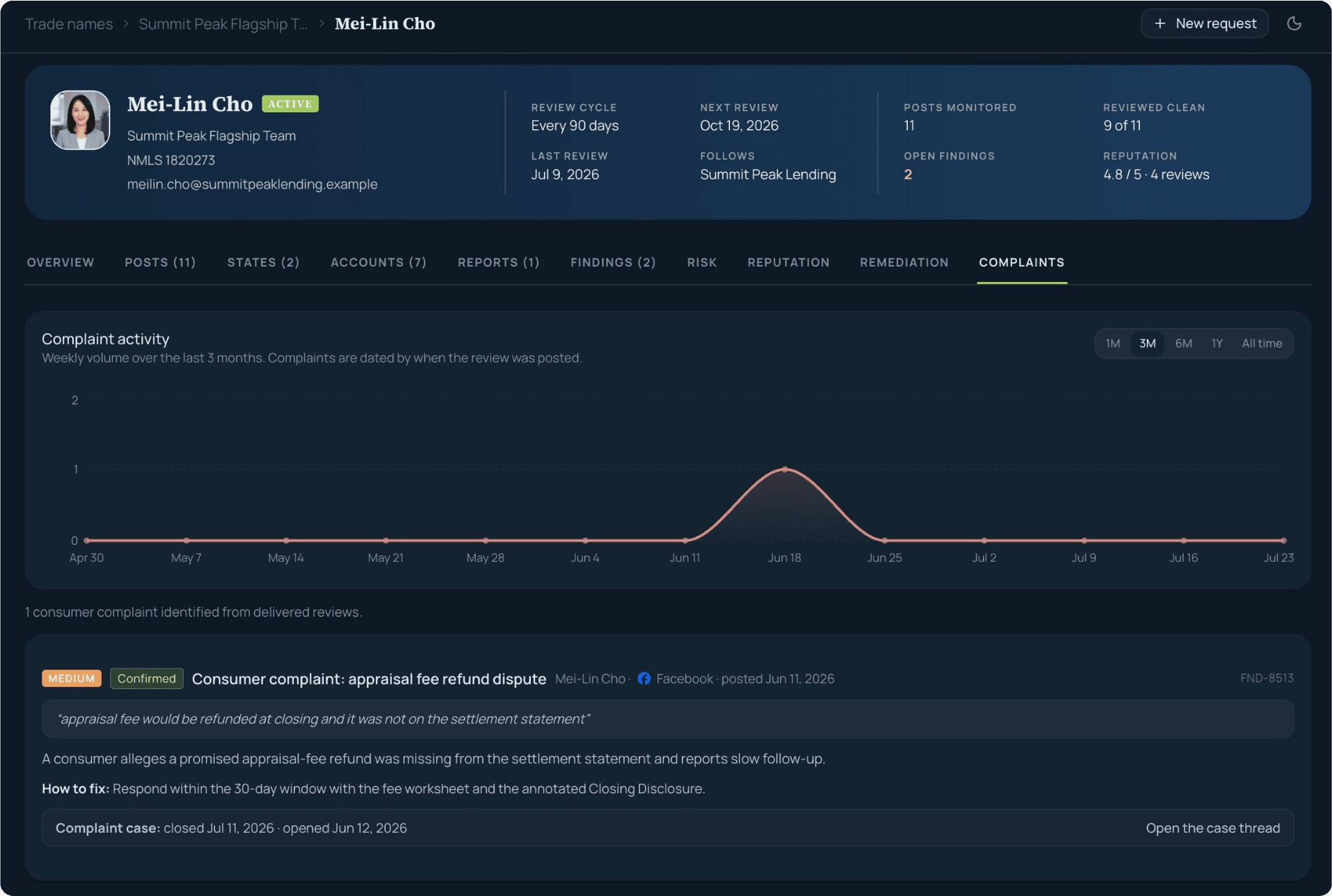
Every surface shown is the live product. All names, officers, and findings in these frames are fictional.
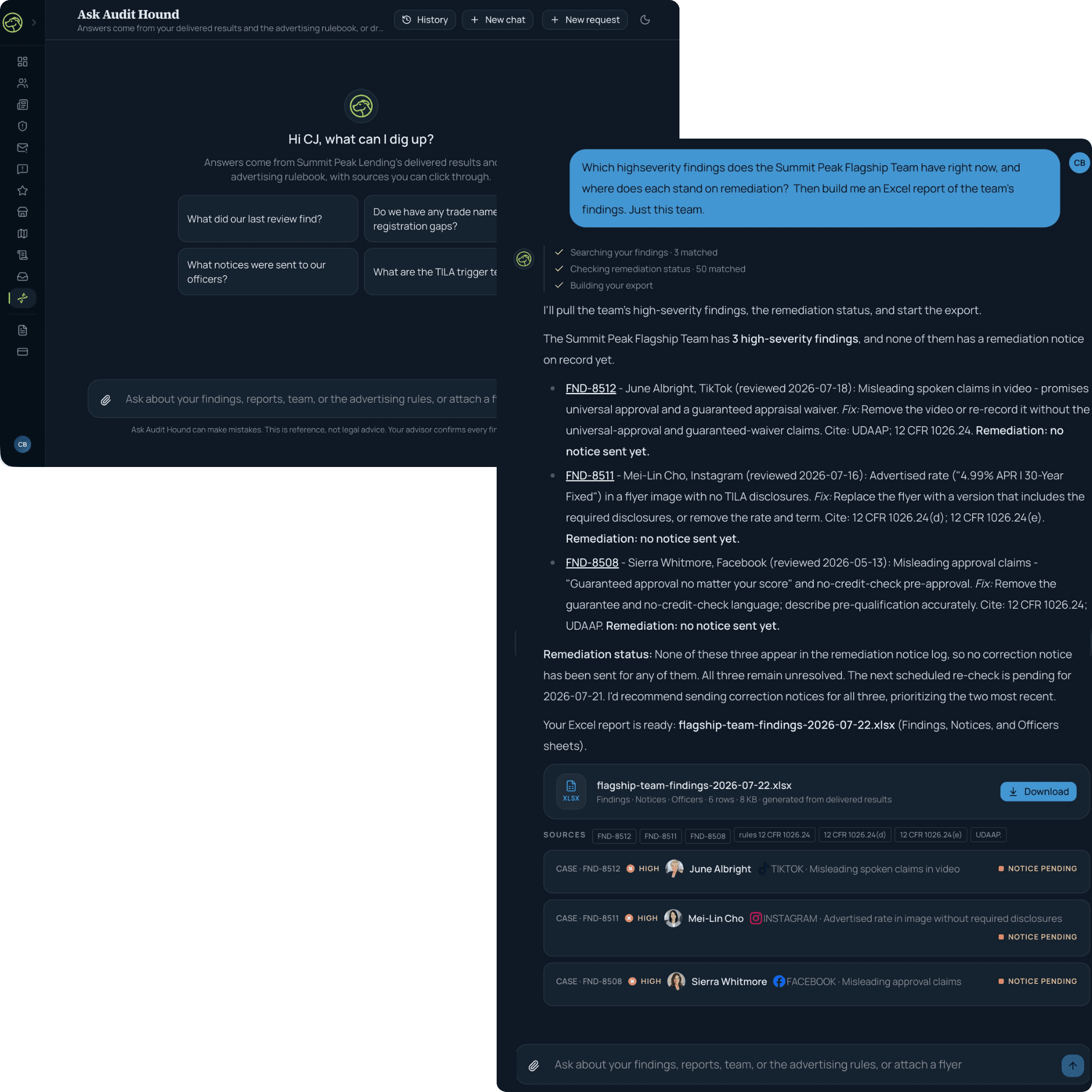
Ask it anything. Every answer shows its sources.
Ask Audit Hound answers from your own compliance record and the advertising rulebook, nothing else. It searches your delivered findings, your trade names, and the rules as you watch, then cites every claim.
Check it before it posts
Drafting an ad, a flyer, or a post? Drop it into Ask Audit Hound and get a cited read against the same rulebook monitoring uses, in seconds, before anything goes live. Marketing can ask first instead of apologizing later.
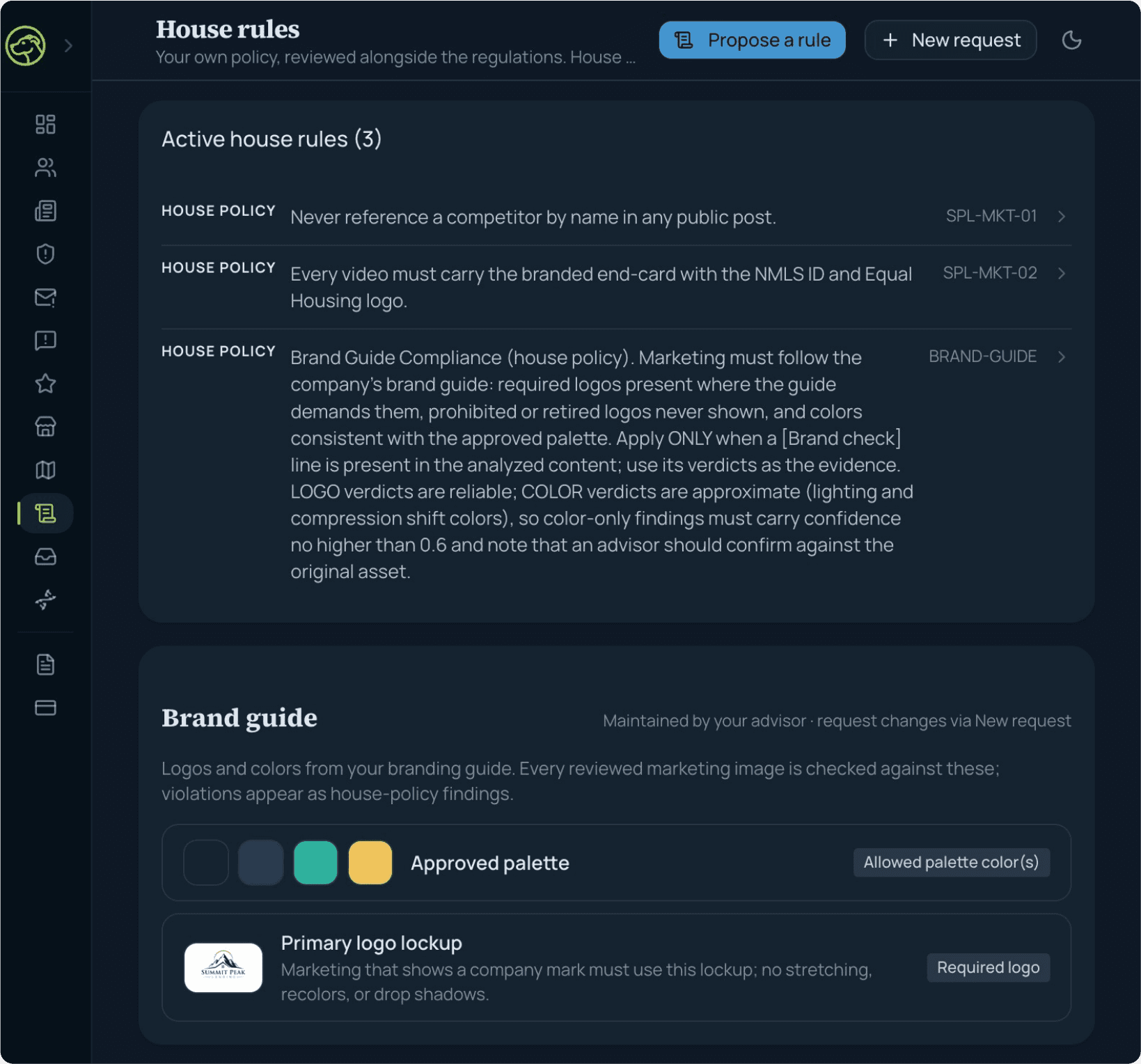
House rules and your brand guide, enforced
Your own company policies are reviewed alongside the regulations, in their own lane, so they never drag your compliance rate. The brand guide checks required and prohibited logos and approved colors on every reviewed image, and violations arrive as house-policy findings.
Real exports, on request
Advisor-signed report PDFs live in the portal, and Ask Audit Hound builds real Excel, CSV, and PDF files from your findings on request, scoped to a team, an officer, or the company.
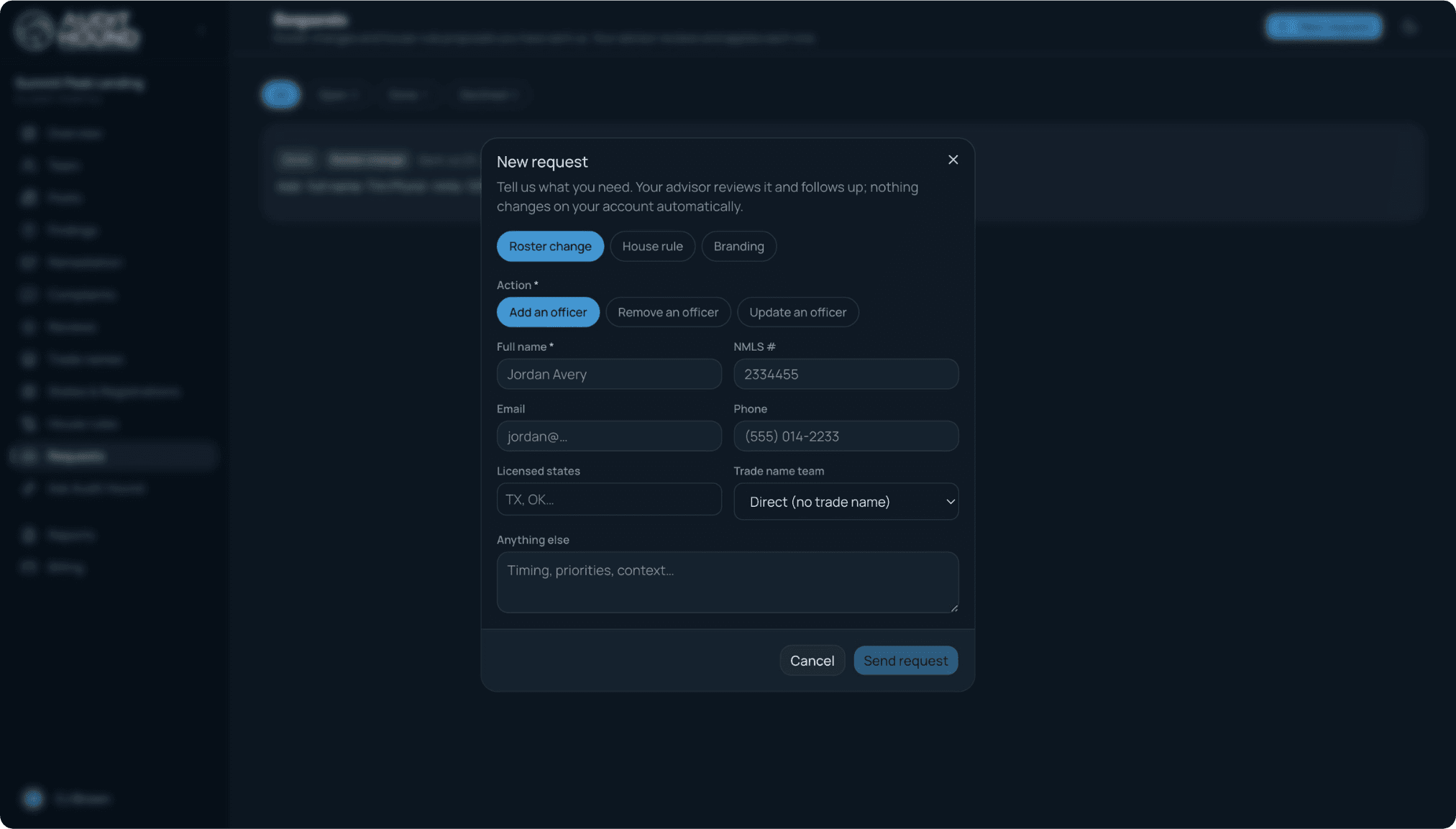
Requests, tracked like findings
Questions, document requests, and branding changes go in as structured requests and come back answered on the record, not lost in an inbox.
Billing, visible
Seats follow your roster and the numbers are in the portal, so the invoice is never a mystery.
Compliance, unleashed.
Transparent pricing from $149 per month, no demo required. Your first advisor-reviewed report arrives within a week of activation.